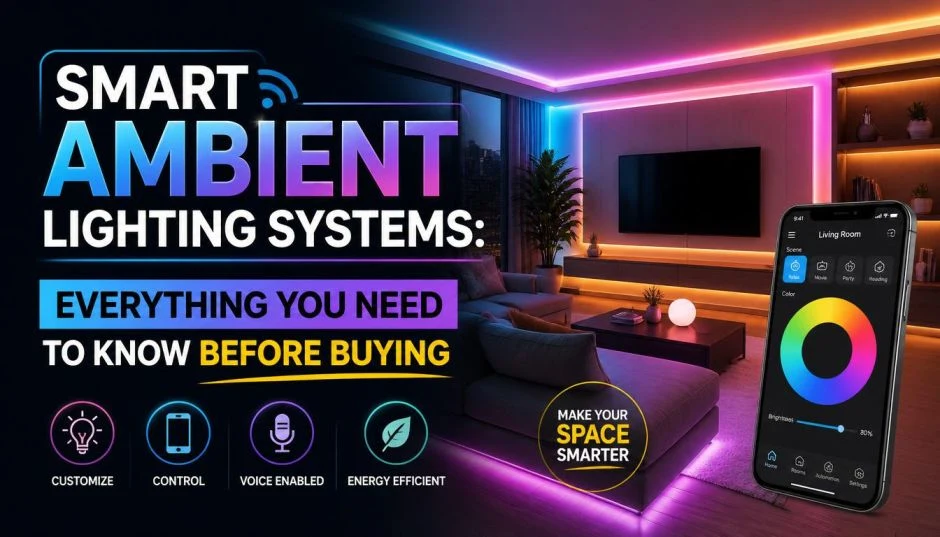
I spent last December upgrading my entire apartment to smart ambient lighting. The process took three weeks. I made expensive mistakes. I bought bulbs that would not connect. I bought a hub I did not need. I learned the hard way.
Let me save you the same headaches.
Smart ambient lighting system choices have exploded in 2026. Prices range from 10bulbsto10bulbsto15,000 whole-home setups. The difference is not just about brightness. It is about how the system works, what it connects to, and whether it will frustrate you every single night.
Here is what nobody tells you before you buy.
The First Question Nobody Asks
Before you buy a single bulb, ask yourself this: Do I want to control individual bulbs or entire rooms? This sounds simple. It changes everything.
Read Also: Ultimate Guide to Water Leak Sensors for Smart Homes
Individual smart bulbs cost $10-50 each. You screw them into existing lamps. You control each one separately. Great for accent lighting. Terrible for overhead fixtures where you use the wall switch.
The wall switch problem: Smart bulbs need constant power. The moment someone flips the wall switch off, your smart bulb becomes a dumb bulb. No app control. No voice commands. Nothing.
I put smart bulbs in my kitchen ceiling. My roommate kept flipping the switch off. Every time I wanted to use the lights, I had to walk to the switch and turn it back on. Defeated the entire purpose.
The better solution for overhead lights: Smart switches. These replace your wall switches. They cost $150-350 installed per switch. Your existing dumb bulbs become smart. And the switch still works like a normal switch. Best of both worlds.
Here is my rule now. Smart bulbs for lamps that stay plugged in. Smart switches for ceiling lights and wall-controlled fixtures.
The Hidden Cost Nobody Mentions
Smart ambient lighting system cost has four buckets. Most people only think about the bulbs.
| Cost Component | Percentage of Budget | What Breaks First |
|---|---|---|
| Light Fixtures / Bulbs | 40-50% | LEDs last years |
| Drivers / Power Supplies | 15-25% | Cheap capacitors fail in 6-12 months |
| Control System (Hub, Switches) | 20-25% | Connection stability varies |
| Installation | 10-15% | Wiring mistakes cost time |
Here is the painful truth. Drivers are only 18% of your budget. But they cause 80% of disconnection problems.
I learned this with a cheap Govee strip. Worked fine for three months. Then started flickering. Then stopped connecting entirely. The driver failed. Cheap capacitors inside.
Now I check driver quality before buying. Look for brands that specify "flicker-free dimming" and list their capacitor quality. If they do not mention it, assume it is cheap.
Real Budget Breakdowns for 2026
Here is what actual smart lighting costs in 2026:
Budget setup ($700-1,100):
-
6 smart spotlights + 3m LED strip for living room
-
2 smart ceiling lights for bedrooms
-
Smart hub + 4 switches
-
You install everything yourself
I started here. Works fine for apartments under 900 square feet.
Standard whole-home ($1,700-2,800):
-
Full no-main-light design with 12 spotlights
-
Covers 3 bedrooms + kitchen + bathroom
-
3 scene panels + 5 motion sensors
-
Professional installation recommended
Premium ($2,800-11,000+):
-
DALI or KNX professional protocols
-
Whole-home automation with AI learning
-
Professional design and installation required
My friend went premium in his 4-bedroom house. Cost him about $8,000. His lights adjust automatically throughout the day. Warm in mornings. Cool for work. Dim for movies. He loves it. I cannot afford it.
The Hub Question: Do You Need One?
This confuses everyone. Here is the straight answer.
No hub required bulbs connect directly to your Wi-Fi. You control them through an app. Simple. Cheap. Works fine for 5-10 bulbs.
You Must Also Like: Best Smart Home Devices That Boost Energy Efficiency
Hub required systems use Zigbee, Z-Wave, or Thread. They do not crowd your Wi-Fi. They respond faster. They work when your internet goes down. They handle 50+ bulbs without slowing down.
I started with hub-free Wiz bulbs. Great for my first three bulbs. When I added the 12th bulb, my Wi-Fi started struggling. Video calls lagged. Bulbs took three seconds to respond.
I switched to Philips Hue with the Bridge hub. Instant responses. No Wi-Fi issues. Worth the extra cost.
Who needs a hub: Anyone planning more than 10 bulbs. Anyone who wants reliable automations. Anyone frustrated by slow responses.
Who can skip the hub: Renters. People with 1-2 rooms of smart lights. Anyone on a tight budget.
Best Smart Ambient Lighting System Picks for 2026
I have tested or researched every major option. Here is what stands out.
Best Overall: Philips Hue with Bridge
Philips Hue remains the gold standard. The color quality beats everyone else. The Bridge provides rock-solid reliability. The ecosystem includes every type of light you could want.
What I love: The colors look rich, not washed out. The whites range from warm candlelight (2200K) to cool daylight (6500K). The automations work every time.
What I hate: The price. A starter kit with Bridge and two bulbs costs around 100.Individualcolorbulbsrun100.Individualcolorbulbsrun45-50 each.
Best for: Homeowners building a permanent system. Smart home enthusiasts. People who hate troubleshooting.
Skip if: You have a small budget. You only want one or two smart bulbs.
Best Budget Value: Govee Smart Bulbs
Govee dominates the budget space for good reason. A 4-pack of color bulbs costs what one Philips Hue bulb costs.
What I love: The music sync feature. Your lights pulse to whatever is playing. Fun for parties. The app offers 50+ preset scenes. The 25,000+ positive reviews speak for themselves.
What I hate: Color accuracy suffers compared to Hue. White tones sometimes have a slight tint. Colored modes look noticeably dimmer than white mode.
Best for: Renters. Kids' rooms. Gaming setups. Anyone who wants fun colors without perfect accuracy.
Skip if: Color quality matters for photography or design work. You need reliable whites for task lighting.
Best for Alexa Users: Govee or Wiz
Both Govee and Wiz work seamlessly with Alexa. Setup takes five minutes. Enable the skill in the Alexa app. Discover devices. Done.
What I love: Voice control actually works. "Alexa, set living room to 50 percent." "Alexa, make the bedroom blue." Simple commands. Instant responses.
What to know: You need the brand's app for initial setup. After that, Alexa handles everything. Keep the wall switch on at all times.
Best Unique Design: IKEA Varmblixt
IKEA released this doughnut-shaped lamp in early 2026. It looks like a glowing doughnut. I want one just looking at the pictures.
What I love: The design works on tables or mounted on walls. Matter support means it works with Apple Home, Alexa, and Google Home. You do not need IKEA's hub if you already have a Matter controller like an Apple TV or Echo speaker. The ABS plastic feels durable, not cheap.
What I hate: The 100pricetagbecomes100pricetagbecomes210 if you need to buy IKEA's Dirigera hub separately. The remote struggles after you start using app controls.
Best for: Design-focused buyers. People who already have a Matter hub.
Skip if: You want bright task lighting. This is ambient only.
Philips Hue vs IKEA: The Real Comparison
Where IKEA wins: Price. Simplicity. Return policy. You can buy everything at one store. The minimalist design fits Scandinavian decor.
Where Hue wins: Color quality. Product variety. Reliability. More design options if you want something other than minimalism.
One reviewer put it perfectly: "I would be just as happy with Philips Hue if I had installed it. But for my personal needs, it seemed silly to pay so much extra for more or less the same outcome."
I agree for basic use. For color-critical applications, pay for Hue.
Compatibility: Make Sure Everything Talks to Each Other
Smart lights for home with Alexa now represent the majority of the market. But compatibility goes beyond just Alexa.
Here is what works with what in 2026:
Matter is the new universal standard. A Matter-certified light works with Apple Home, Alexa, Google Home, and Samsung SmartThings. No fighting over ecosystems.
WiFi bulbs work with everything but crowd your network. Fine for small setups.
Zigbee bulbs need a hub but handle large installations gracefully. Philips Hue uses Zigbee.
Bluetooth bulbs work without Wi-Fi but have limited range. You cannot control them when away from home.
My advice: Buy Matter-certified whenever possible. Future-proofs your purchase.
Installation: What You Can Do Yourself
Smart bulbs: Screw them in. Download the app. Follow the pairing instructions. Five minutes per bulb.
Smart switches: Requires wiring knowledge. You need to identify line, load, neutral, and ground wires. Mistakes cause shorts or shocks. Pay an electrician if you are unsure.
Smart plugs: Plug into outlet. Plug lamp into smart plug. Connect to app. One minute.
Light strips: Clean the surface. Peel the adhesive backing. Stick in place. Connect to power. Connect to app. Easy but tedious for long runs.
I installed all my bulbs and strips myself. I paid an electrician for three smart switches. Cost me $150 per switch installed. Worth every dollar for the peace of mind.
Common Problems and How to Avoid Them
Problem: Bulb loses connection constantly
Fix: Check if the wall switch was turned off. Smart bulbs need constant power. Also check if your 2.4GHz WiFi is working. Most smart bulbs cannot use 5GHz.
Problem: Lights respond slowly
Fix: Too many WiFi bulbs. Consider switching to a Zigbee system with a hub. Or upgrade your router.
Problem: Colors look wrong
Fix: Cheap bulbs have poor color rendering. Look for CRI 90+ for accurate colors. Philips Hue consistently delivers the best color quality.
Problem: Alexa cannot find the light
Fix: Enable the brand's skill in the Alexa app. Discover devices again. Make sure the light is powered on and connected to your WiFi.
What I Wish Someone Told Me
Start with one room. Not your whole house.
I bought 15 bulbs at once. Installed them everywhere. Then realized I hated the interface. I could not return 15 opened bulbs.
Start with two bulbs in your living room. Live with them for two weeks. If you love the app and the response times, buy more. If you hate them, you only wasted $20-30.
Also, buy one extra bulb. Keep it as a spare. When a bulb fails (and some will), you have an immediate replacement. No waiting for shipping.
The Final Thoughts
Best smart ambient lighting system for most people: Philips Hue starter kit with Bridge. Pay once. Cry once. Never troubleshoot again.
Best on a budget: Govee 4-pack. Good enough for 90% of users. Save your money for something else.
Best for renters: Wiz bulbs. No hub required. Works with everything. Easy to take when you move.
Best for design lovers: IKEA Varmblixt on your wall. Matter support. Unique look. Conversation starter.
Do not overcomplicate this. Start small. Add slowly. Pay attention to the wall switch problem before you buy. Your future self will thank you.